




Opening a Hepsiburada Store in 3 Steps

A sample of the Hepsiburada Seller Membership Agreement and Marketplace Seller Information Form is available on the application screen at http://merchant.hepsiburada.com/account/sign-up/.
After your application for the Hepsiburada Marketplace partnership, our authorized team will contact you as soon as possible to inform you about the process, and will share the Annex-3 Marketplace Seller Information Form and your category-based commission list.
Go to https://merchant.hepsiburada.com/ and log in with your user details, then go to the "My Account - My Documents" page and upload the documents listed below.
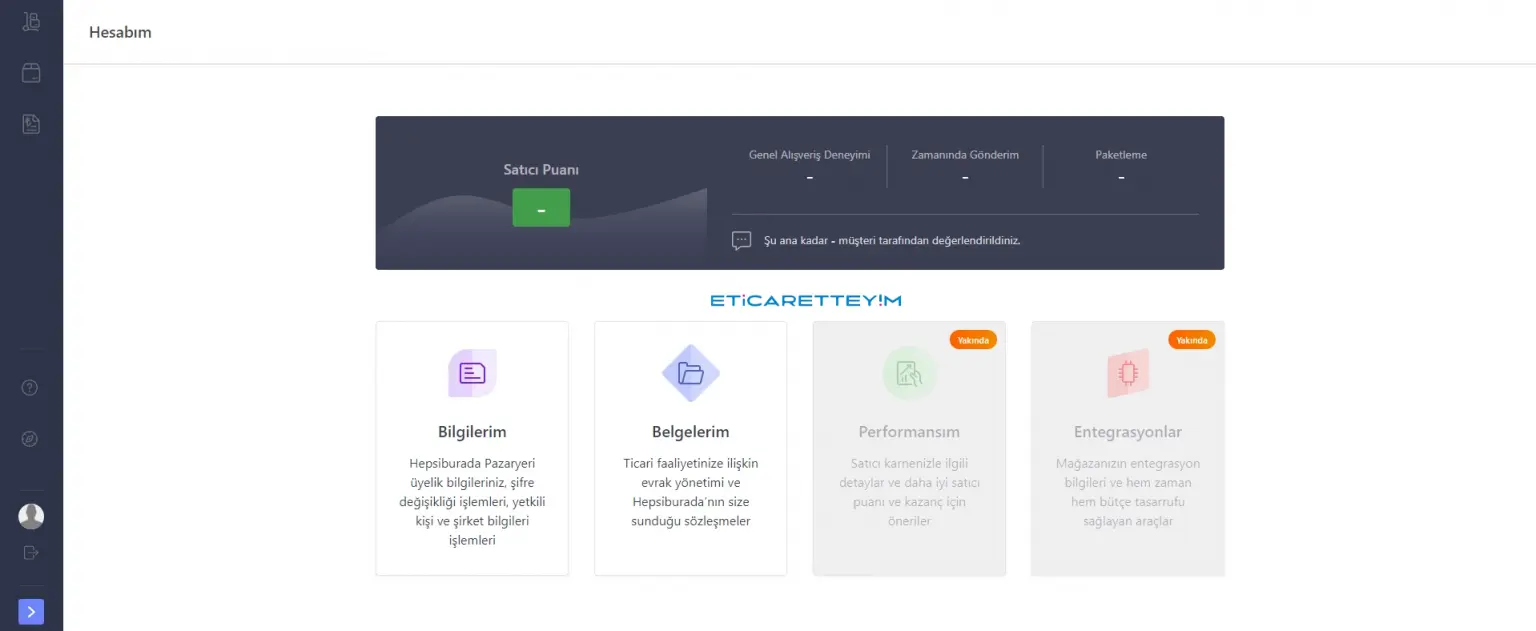
Before uploading your documents, you can submit your approval of the Free Shipping Campaign from the Documents-Agreements section by clicking the "Join Campaign" button. You can find a sample agreement in the relevant section.
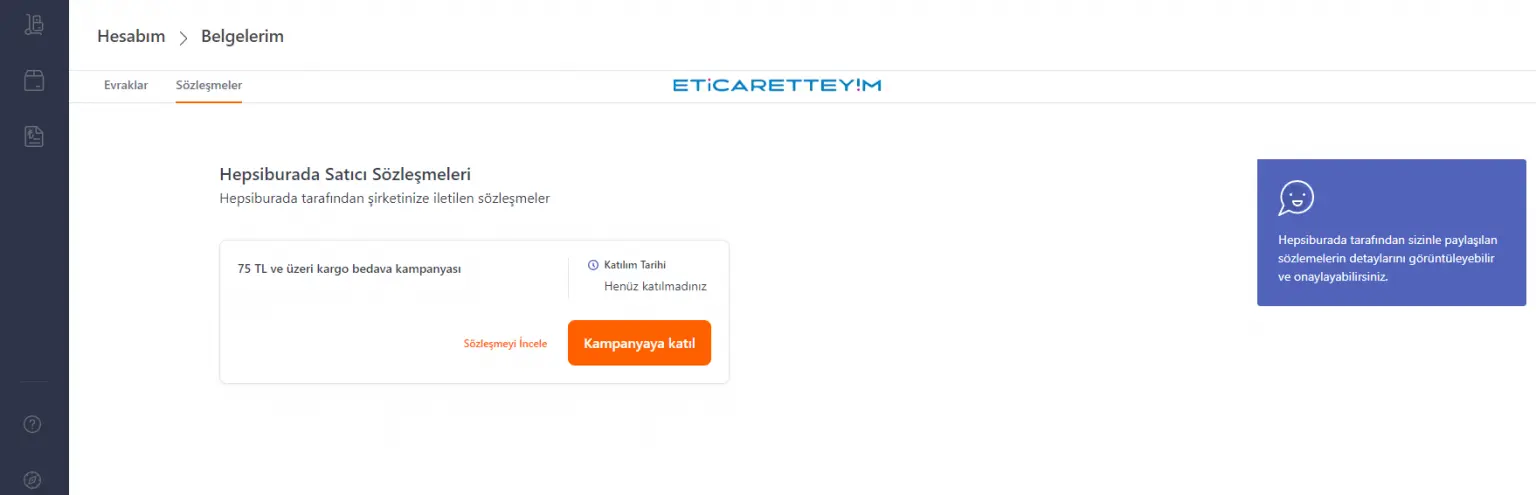
You need to upload each document through its own designated field. For documents with several pages, you can upload the pages one after another. (You can only upload documents to the system in PDF, DOC, DOCX, JPG, JPEG or PNG format.)
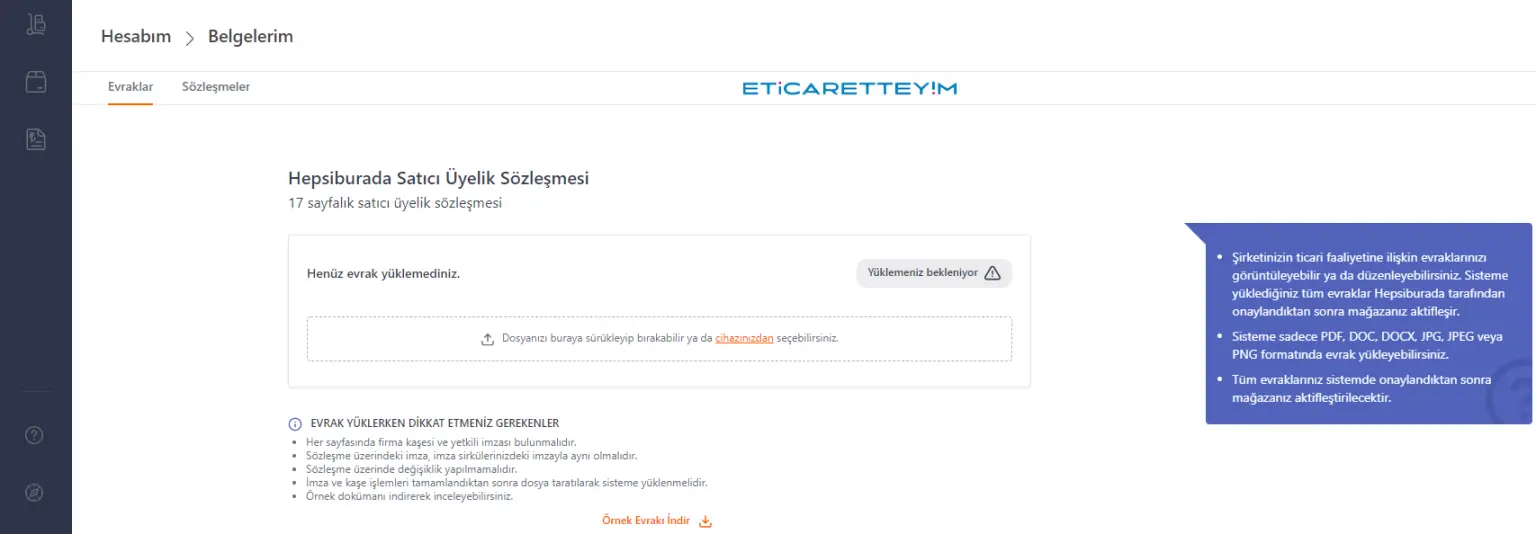
The documents you need to upload to the system are as follows.
- Agreement: Your 17-page Seller Membership Agreement must be uploaded with every page stamped with the company seal and wet-signed.
- Annex-3 Marketplace Seller Information Form - Category-Based Commission Rate List: All pages of the Annex-3 Marketplace Seller Information Form - Category-Based Commission Rate List must be uploaded. The yellow fields in the Annex-3 Seller Information Form must be filled in, and every page of the Annex-3 Marketplace Seller Information Form - Category-Based Commission Rate List must bear the company seal and the authorized signatory's signature.
- Tax Certificate: It must be uploaded for the current tax year or, at the oldest, the previous tax year.
- Signature Circular: It must not be expired. (Sole proprietorships and general partnerships can apply with a signature declaration.)
- Activity Certificate: It must be dated within the last 6 months. You can obtain it from the website of the Chamber of Commerce you belong to. It must not be expired.
- Trade Registry Gazette: The title and address information in the Trade Registry Gazette must match the company seal, the Tax Certificate and the Activity Certificate.
- For sole proprietorships, if the company is registered with a Chamber of Commerce, the Trade Registry Gazette and Activity Certificate documents must be uploaded.
- If the company is not registered with a Chamber of Commerce, a Tax Certificate must be uploaded instead of these two documents.
- For general partnership companies, the Trade Registry Gazette showing the partnership together with the individual Tax Certificates and the latest accrual slip containing the partnership's tax number are requested.
- In addition, the individual Tax Certificates and Signature Declarations of each partner must be uploaded separately.
- All documents must bear the company seal, and the wet signatures of all partners are required.
Once your documents have been uploaded, you only need to click the "Submit for Approval" button so that Hepsiburada can review them.
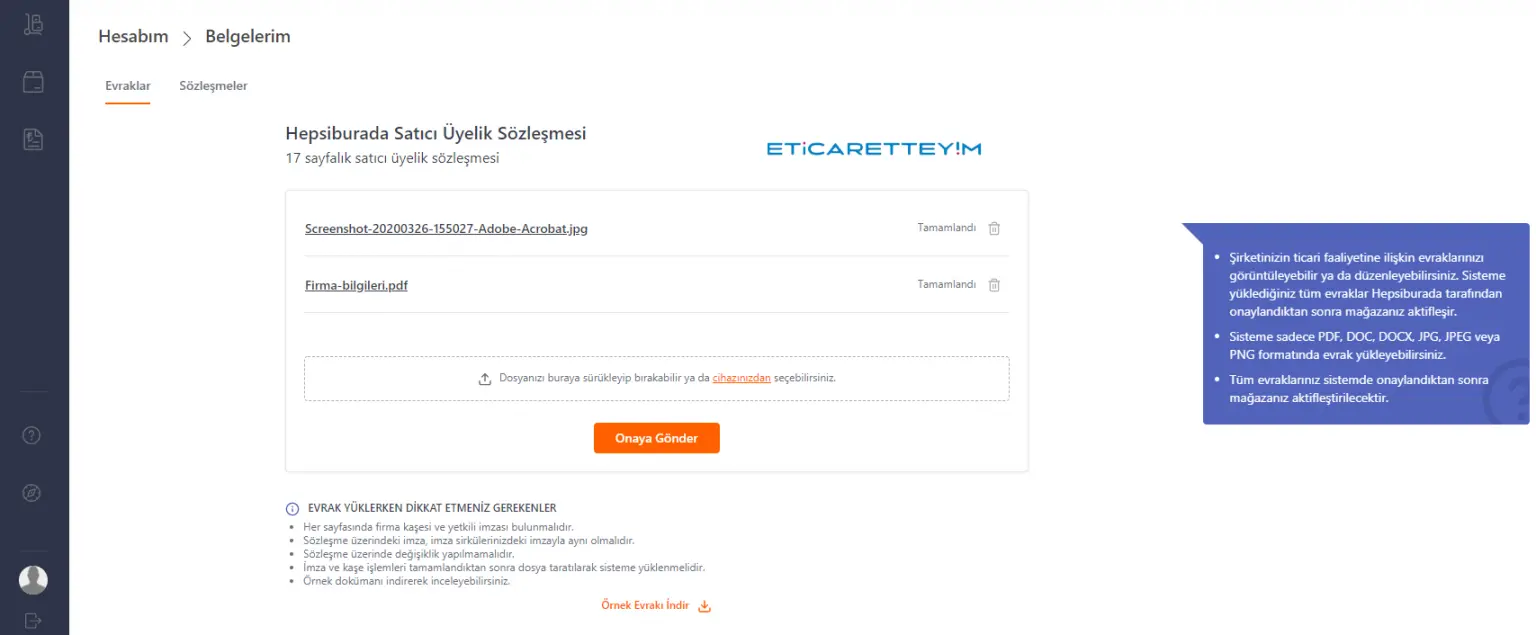
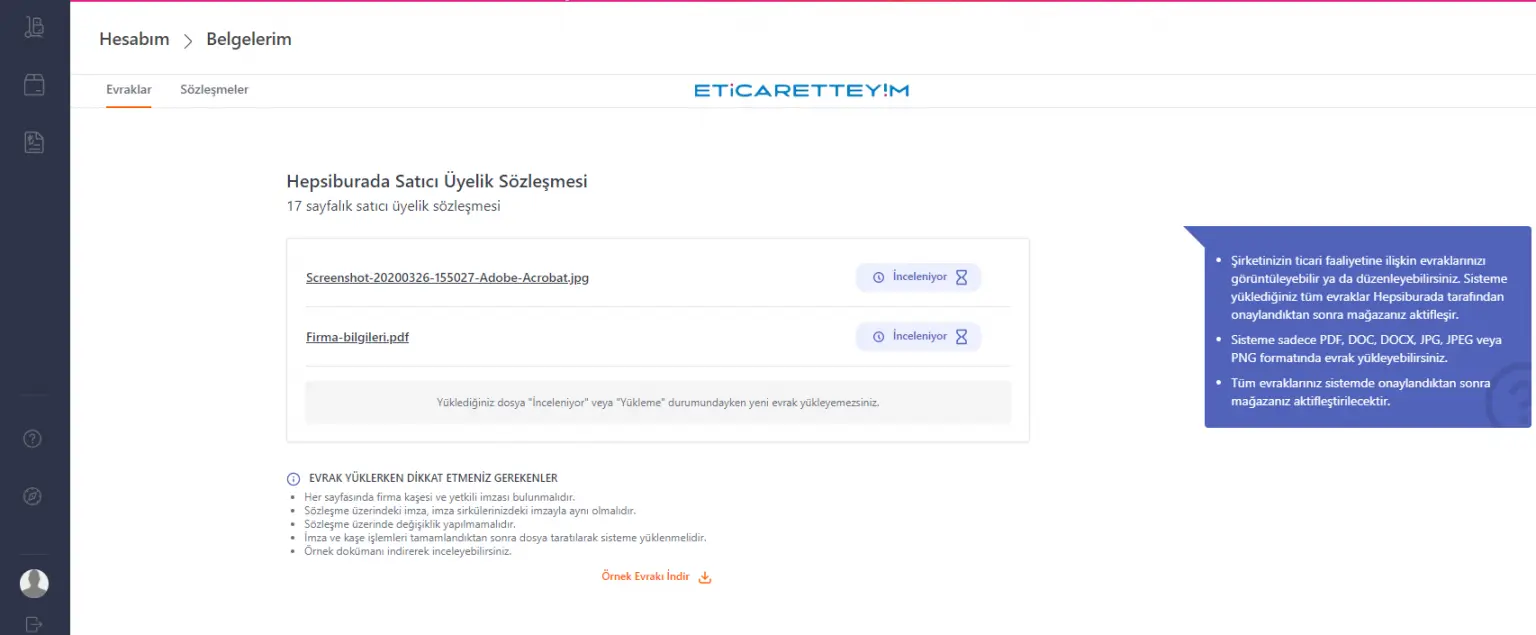
If we find any deficiency in any document during the review on screen, the system will reject the document, and you are expected to upload it again as described in the rejection reason. Once the Agreement and other documents reach Hepsiburada and all documents are approved, your store will be activated as soon as possible and you will be informed at your registered email address.
You can learn the commission rates applied on the Hepsiburada Marketplace platform from our sales representatives, who will contact you after you apply, and you can also check them in the list shared below.
Application Process and Required Documents - Turnover Bonus Applications
Depending on the sales target, monthly, quarterly or annual turnover bonus arrangements can be used.
For example: for seller X, a sales target of 1,000,000 TL with a turnover bonus; if the target is exceeded with the sales team's involvement, a +x% turnover bonus is invoiced to the company on the agreed date. As another method, when the seller reaches the target through their own efforts, a pre-agreed Hepsiburada marketing service is applied for the seller in exchange for a -x% turnover bonus. Whether the turnover bonus applies only to the target or to the target plus the amount achieved above the target is agreed with the seller in the contract. It can also be tiered according to the target turnover amount.
Logging In to the Store Management Panel
You can log in to the portal at https://merchant.hepsiburada.com/. Get your needs in the e-commerce sector met with eticaretteyim.com and its professional team.
https://www.eticaretteyim.com/eticarette-hepsiburada/
https://www.eticaretteyim.com/online-eticaret-pazar-yerleri-eticaret-1/
eticaretteyim Yönetici
We create easy-to-follow guides for store owners on e-commerce, hosting and business email.
Was this post helpful?
Comments
No comments yet. Be the first to comment.
Leave a comment
Comments are published after approval. Your email address is never shown on the site.
Related posts

How Do I Upload Products to My Hepsiburada Store?
You can upload single or bulk products from your seller account in the Hepsiburada seller panel. For single products, use the Hepsiburada ca...
Hepsiburada: Who They Are and Why Open a Store There
What is Hepsiburada in e-commerce? When “online shopping” comes up in Turkey, only a handful of platforms come to mind. Hepsiburada, which b...

Online Marketplaces for E-commerce
Nowadays it is hard to find a home without internet. Because so much time is spent online and people reach for their phones in every spare m...

Improving E-Commerce Site Speed and Page Optimization
In today's digital world, competition between e-commerce sites is fiercer than ever. As consumers' patience decreases, how long a website ta...